











Researchers at Emory University found that kids who know their family stories – where grandma grew up, how their parents met, what hard times the family got through – cope better with challenges and have a stronger sense of who they are. A simple phone recording of grandpa’s childhood memories can be the start of that.
The ideas in this article all work the same way: the screen is a starting point, not the destination. It kicks off something real – a project, an expedition, a conversation, a creative session – that you do together as a family.
A Quick Word on Balance
A 2025 study by Lurie Children’s Hospital found that parents think about nine hours a week is the right amount of screen time for kids. The actual average? Twenty-one hours – more than double. And a Pew Research Center report from the same year showed that most families have screen rules, but fewer than one in five stick to them consistently.
Setting boundaries on passive stuff – mindless scrolling, autoplay rabbit holes – is the foundation. But the other half of the equation is having something better to offer. That’s what this list is for. Think of it like food: we’re not just cutting the junk, we’re putting proper meals on the table.
And when the screens go off, you’ll want ideas for that too – Family Days Out’s list of free outdoor activities for kids pairs well with this one.
Part 1: Family Story Adventures
Every family has stories worth holding onto. These activities use screens to capture them before they’re gone – and they tend to spark the kind of conversations that don’t happen on a normal Tuesday. Every family looks different, so adapt these however they fit: blended families, single-parent households, long-distance relatives, close friends who are basically family – all welcome.

1. The Grandparent Interview
Give your child a phone and a mission: twenty minutes with an older relative. Get them to prepare questions first – “What was school like when you were my age?” or “How did you know you loved Grandpa?” Kids ask things adults never think of. And you’ll have that voice forever – not just the words, but the pauses, the laughter, the way they told the story. These recordings become more valuable every year. These recordings become more valuable every year. You can store this kind of content in apps like Simirity to keep it safe and easy to revisit.
2. The “Who Is This?” Photo Game
Dig out old family photos – scan them or pull them from forgotten folders. Cast them onto the TV. Show pictures of mum, dad, aunts and uncles as kids and let your children guess who’s who. The rule: every photo needs its story. Where was it taken? What happened that day? Why is Uncle Steve wearing that hat? It’s a simple game that builds what researchers call “family identity” – the feeling of belonging to something bigger.
3. Film the Family Recipe
Don’t just write the recipe down. Film it. Set up a tablet on the counter, hit record, and capture all the stuff that doesn’t fit on a recipe card – how much “a pinch” actually is, the texture they’re looking for, those shortcuts no one ever mentions. Twenty years from now, that video will be one of the most treasured things on your phone.
4. Virtual Time Travel
Open Google Street View and “walk” your kids through the neighbourhood where you grew up. Show them your old school, the park where you broke your arm, the corner shop that’s now a coffee place. Be their tour guide, but with real memories. Parents who’ve done this say it opens up conversations they’d never have had otherwise – it’s a family outing without leaving the sofa.
5. The Digital Time Capsule
Every family member records a short video: where they think they’ll be in five or ten years, their current favourite things, what worries them, what excites them. Pop them in a secure folder with a calendar reminder to open them on a specific date. When you finally watch them back, expect tears, laughter, the whole lot.
Part 2: Creative Adventures
These activities flip the screen from something you watch into something you make things with. They need imagination, teamwork, and a bit of mess – which is what makes them proper adventures rather than just screen time.
6. Stop-Motion Movie Night
Stop motion brings objects to life one frame at a time. Take a photo, nudge the object, take another photo, repeat. Download Stop Motion Studio (free), grab some LEGOs or clay, and make a thirty-second film together. One person moves the figures, one takes photos, everyone adds voices at the end. It takes patience, planning and real teamwork. The finished film is a bonus – the adventure is in making it.
7. Build a Game Together
Instead of just playing games, make one. You don’t need to be a programmer. Apps like Scratch (from MIT) or ScratchJr (for younger kids on tablets) work like digital building blocks – you snap colourful pieces together to tell a character what to do. Start simple: make a cat dance or a ball bounce. It gives kids a look at how apps actually work, and turns them from player to inventor.
8. Family Band Night
No instruments at home? That’s fine. Try Incredibox – you drag hats and glasses onto animated characters to make them beatbox and sing. It’s nearly impossible to make it sound bad. For a free option, Chrome Music Lab (Song Maker) lets kids “draw” a melody on a grid. Even a toddler can tap out something the whole family can listen to together.
9. Collaborative Digital Art
Great for waiting rooms, restaurants, or long car journeys. Open a drawing app (even Notes works). Person A draws a random squiggle. Person B turns it into something – an animal, a face, a spaceship. Pass it back. Keep going. No mess, no markers rolling under the seats, and it gets a laugh every time.
Quick Questions
What’s happening on the screen matters more than the number of minutes. The American Academy of Pediatrics suggests around one to two hours for younger kids, but they’re clear that active, creative screen use is different from passive scrolling. Focus on the balance rather than a rigid number.
Don’t go cold turkey – that usually starts a war. Try a “first this, then that” approach: fifteen minutes of something creative earns thirty minutes of gaming. Some kids end up genuinely enjoying the creative side. Parental control software can enforce the rules so you’re not playing referee all day.
The earlier the easier. Kids aged six to ten are often the sweet spot – old enough to get properly stuck in, young enough that habits aren’t set in stone. But it’s never too late. Even teenagers respond well to activities where they get to be the expert teaching you something.
Social media isn’t the place for a grandparent interview. A private cloud folder, a shared family drive, or a dedicated archiving app all do the job. Pick something that’s backed up, private, and easy to find years from now.
Part 3: Outdoor Adventures (Screen-Powered)
This is where screens stop pulling you indoors and start pushing you outside. These activities turn your phone into a compass, a magnifying glass, or a treasure map – a tool that makes the real world more interesting. For more ideas on getting the family outdoors, have a look through the Family Days Out blog – loads of inspiration there.
10. The Backyard Bio-Blitz
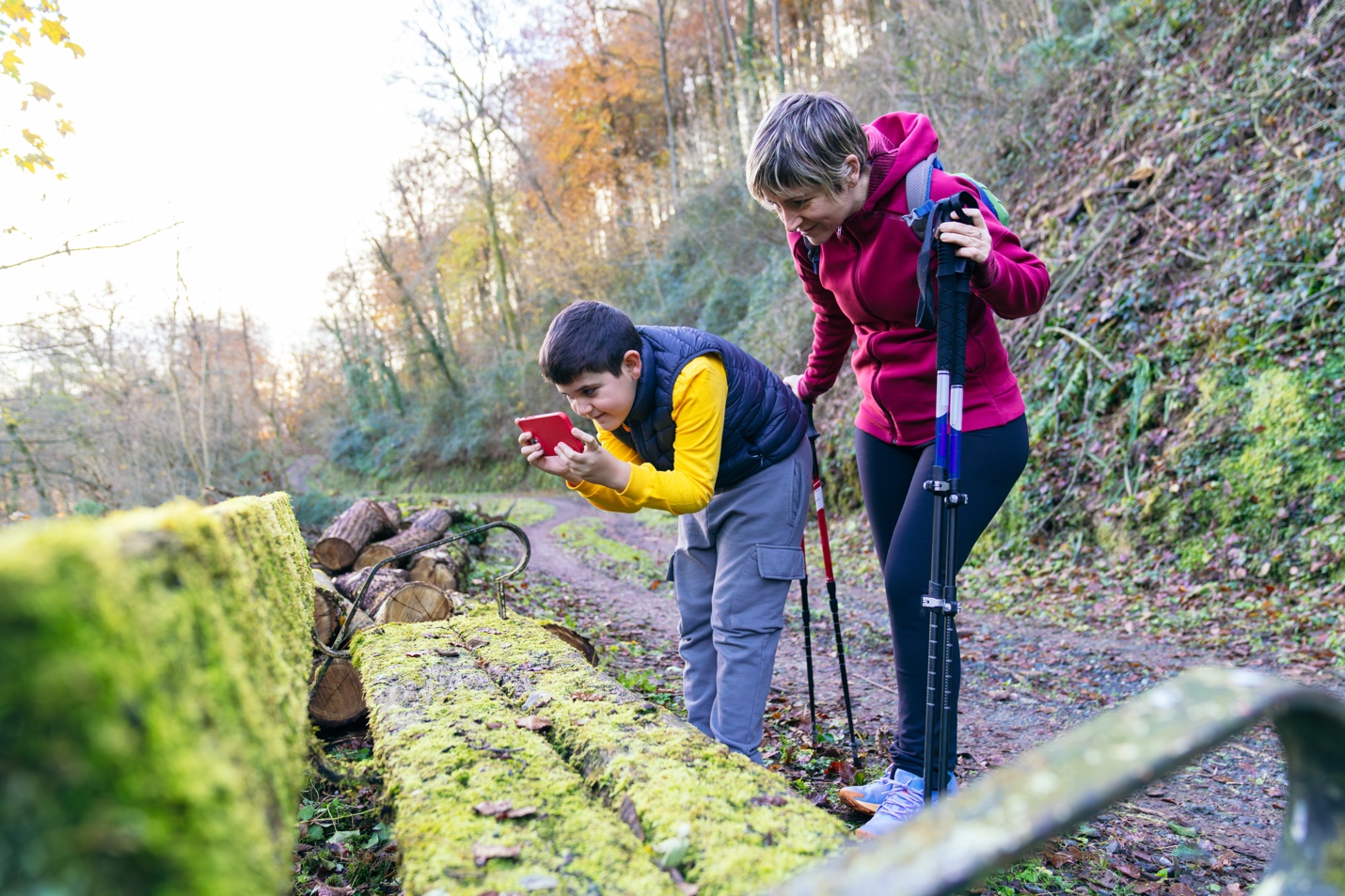
Download Seek by iNaturalist or PlantNet and challenge the family to identify ten species of plants, bugs, or birds in your neighbourhood. The phone becomes a scientific instrument and the garden becomes a nature reserve. It’s an expedition that starts at your back door.

11. Stargazing With Superpowers
Apps like SkyView or Star Walk use augmented reality to show what’s in the sky above you. Point the phone up and the screen maps out constellations, planets, satellites. Grab a blanket, lie in the garden, and take turns reading the myths behind each constellation while everyone looks at the actual stars. The screen makes the adventure richer – it doesn’t replace it.
12. Geocaching Treasure Hunt
Geocaching turns a regular walk into a treasure hunt. Download the official app to find a hidden “cache” near you. Your phone’s GPS gets you close, but you still have to search with your actual eyes – it might be a tiny magnetic box behind a sign, or a tub tucked inside a tree stump. The golden rule: “Take something, leave something.” If the cache has small toys, kids swap in a trinket of their own. Even the most familiar route becomes a new adventure.
13. The Language Challenge
Pick a language the whole family wants to try – maybe for an upcoming trip. Friend each other on Duolingo and see who gets the longest streak or the most points in a week. Loser does the dishes. It’s competitive, it’s educational, and it gives the next family holiday an extra layer.
14. Problem-Solving Partners
This one is more of a mindset shift than a single activity. Next time you have a real problem to solve, bring the kids in. Want to learn juggling? Find tutorials together. Lost the LEGO instructions? Hunt for the PDF as a team. Wondering if that Pokémon card is rare? Research it and figure out how trading works.
These are real situations where you genuinely need a hand – and kids can tell the difference between that and a made-up “learning moment.” The screen becomes a tool you’re both using to figure something out together.
Part 4: Digital Street Smarts Adventures
The online world has its own terrain, and kids need to learn to navigate it. These activities turn that lesson into something hands-on rather than a lecture.
15. The “How Do They Make Money?” Game
Pick a game your child loves that’s “free” to play – Roblox, Fortnite, Brawl Stars. Ask: “The people who built this need to pay their bills. We didn’t pay anything to download it. So how do they make money?”
Turn it into a scavenger hunt. Can they spot these three tricks?
• The Wait Wall: Where does the game make you stop and say “pay or wait”?
• The Shiny Object: Which things cost money but don’t actually help you win? (Skins, dances, emotes…)
• The Fake Money: Do the maths. If a skin costs 2,000 gems and 2,000 gems cost $20, that digital outfit costs more than five real ice creams.
Once kids can spot these patterns (known as Dark Patterns in the design world), the tricks lose most of their power.
16. The Settings Walkthrough
Don’t set up parental controls when the kids aren’t looking. Make it something you do together. Go through their app privacy settings side by side, explaining why you’re turning off location tracking or making a profile private. It turns what could feel like surveillance into a lesson in looking after yourself online. And when kids understand the why, they make better choices on their own.

Making These Adventures a Regular Thing
The gap between “great idea” and “actually doing it on a Saturday” is real. These activities need a bit of structure to happen. Limits on passive screen time create the space. Activities like these fill it.
A parental control tool like Salfeld Child Control can handle the limit-setting side – boundaries on social media and certain games run in the background, so you’re not the one saying “put that down” every five minutes. That frees you up to be the parent who suggests the geocaching trip or the stop-motion project instead.
You can also set it up so time spent on creative or educational apps earns bonus screen time. When kids see that making a stop-motion film or identifying birds in the garden gets them more of what they want, the good stuff starts winning on its own.
Hold Onto What You Make
These adventures will produce things worth keeping – grandparent interviews, stop-motion films, recipe videos. If they sit in your camera roll, they’ll get buried under thousands of photos, lost in a phone upgrade, or wiped when a cloud service changes its terms.
It’s worth having a proper place for them – a shared family drive, a private album, a dedicated archiving app. Whatever you choose, make sure you can actually find these things in five, ten, or twenty years. Future you will be glad.
The Bigger Picture
This isn’t about banning screens. It’s about using them differently. The same device that can keep a child zoned out on the sofa can also send your family on a treasure hunt, turn your kitchen into a recording studio, or help your child ask their grandparent questions they’ll treasure forever.
Limits set the boundaries. Adventures fill the space. Together, they turn screen time from something you argue about into something your family actually looks forward to.
Pick one adventure from this list and try it this weekend. See what happens.
Apps and Tools Mentioned
Parental Controls
• Salfeld Child Control – Screen time limits, content filters, and bonus time for creative apps.
Creativity & Music
• Incredibox – Drag-and-drop music making.
• Chrome Music Lab (Song Maker) – Free, browser-based melody drawing.
• Stop Motion Studio – Free app for stop-motion films.
• Scratch (MIT) & ScratchJr – Visual coding for different age groups.
• Simirty – Family Journal
Nature & Science
• Seek by iNaturalist – Identify plants, bugs and wildlife.
• SkyView / Star Walk 2 – Augmented reality stargazing.
• Geocaching (official app) – Real-world GPS treasure hunts.
Exploration & Learning
• Google Street View – Virtual neighbourhood tours.
• Duolingo – Family language challenges.
Sources
• Duke, M. & Fivush, R., “The Power of Family History in Adolescent Identity and Well-Being,” Emory University.
• Fivush, R., “How Family Stories Help Children Weather Hard Times,” Emory University, 2020.
• Lurie Children’s Hospital, “Screen Time Statistics Shaping Parenting in 2025.”
• Pew Research Center, “How Parents Approach Their Kids’ Screen Time,” October 2025.
• American Academy of Pediatrics, Screen Time Guidelines.
About the Author
Ryan Lesage writes about digital wellbeing and family life on the Salfeld blog. When he’s not researching the latest apps and parental controls, you’ll find him outside with his own kids, probably hunting for a geocache.




Ashley Pugh ;
Ashley Pugh is one of the Co-Founders of Familydaysout.com and has been committed to writing family related content since 2008. There isn't much about family attractions that Ashley doesn't know, after visiting hundreds of them worldwide over the last 20 years.
Leave a comment